
Native vs Hybrid Apps: How to Make the Right Choice
Updated on |By QPSoftware
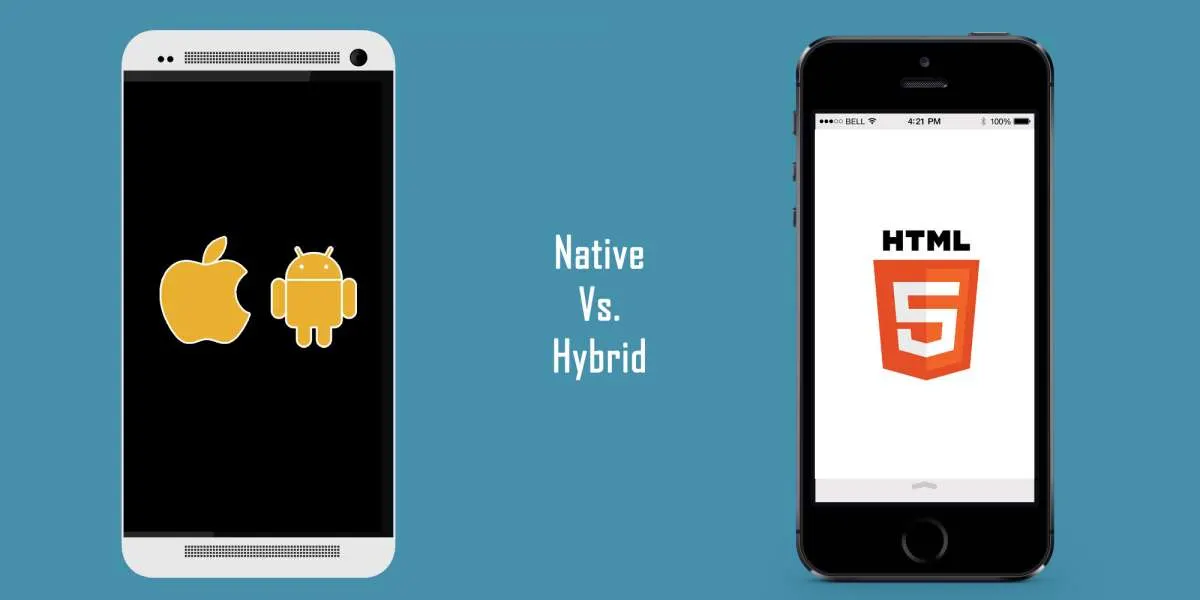
Native vs hybrid apps is a choice between performance and speed of delivery. A native app is written for one operating system (Swift for iOS, Kotlin or Java for Android): best performance, full device access. A hybrid app wraps web code (HTML, CSS, JavaScript) in a native shell: one codebase, faster to build, slower to run.
Key takeaways
- A native app is built for one platform with its own SDK: the fastest option, with direct access to the camera, the microphone or push notifications.
- A hybrid app is a web app running in a WebView: one codebase for iOS and Android, lower build and maintenance costs, weaker performance.
- Cross-platform frameworks such as React Native and Flutter sit in between: one codebase, rendered or compiled with native code.
- Apple’s App Store guidelines expect more than a repackaged website, so a hybrid app still needs real app features.
- Choose on your users’ expectations, the features on your roadmap and the long-term cost, not on the first budget alone.
Deciding to develop your mobile app is usually the easy part. Choosing the type of app to build is harder, and the technical variables can make any business doubt which option is right.
This guide does not promote one solution over the other. Native apps are often considered the stronger option, but hybrid apps have advantages that may be exactly what your business needs. We compare both, list the pros and cons of each, and end with the questions to ask before you decide.

What Is a Native App?
A native app is a mobile application developed in the programming language of a specific operating system, software framework or hardware platform.
For instance, a native iOS app is built with Apple’s iOS SDK in Swift or Objective-C. A native Android app is written in Java or Kotlin, which Android Developers says is used by over 60% of professional Android developers. An app built for iOS will not run on Android, and vice versa.
What Is a Hybrid App?
A hybrid app is a cross-platform application that works on several operating systems, such as iOS and Android.
It looks and behaves like a native app, but inside it is a web app. It is built with HTML5, CSS and JavaScript, and it runs in a WebView: a browser component within the app that loads the content as the user moves through it.
Like a native app, a hybrid app is installed from the app stores, and it has to feel like an app. Apple’s App Store Review Guidelines (section 4.2, Minimum Functionality) ask for “features, content, and UI that elevate it beyond a repackaged website”.
What Is the Difference Between Native and Hybrid Apps?
The table sums up the main differences. Cross-platform native apps, covered in the next section, sit between the two.
| Criterion | Native app | Hybrid app | Cross-platform native app |
|---|---|---|---|
| Codebase | One per platform (iOS, Android) | One for all platforms | One shared codebase, plus some platform code |
| Languages | Swift or Objective-C for iOS, Kotlin or Java for Android | HTML, CSS and JavaScript | One shared language, such as JavaScript for React Native |
| Performance | The best | Slower: the app runs in a WebView | Close to a native app |
| Device features | Direct access through the platform SDK | Through plugins | Through the framework, or native code when needed |
| Internet connection | Not needed for most functions | Often needed | As for a native app |
| Build and maintenance cost | The highest: one app, often one team, per platform | The lowest: a single app | In between: skilled developers are harder to find |
| Best for | Graphics-heavy apps, games, apps that will grow | Simple apps, quick launches, market tests | One team shipping on iOS and Android |
Cross-Platform Native Apps: React Native, Flutter and .NET MAUI
Cross-platform frameworks let developers build native apps for several operating systems from one codebase.
React Native was released by Meta (then Facebook) in 2015, and Meta still maintains it. The code is written in JavaScript with React and rendered with native code, so the app uses the same platform APIs as other apps. When a device function is not covered, developers add native code.
Flutter is an open-source framework for building natively compiled, multi-platform applications from a single codebase.
Xamarin, which let developers share a C# codebase across iOS and Android, is no longer an option for a new project: Xamarin support ended on May 1, 2024, and Microsoft asks Xamarin.Forms projects to migrate to .NET Multi-platform App UI (.NET MAUI).
Angular, the JavaScript framework from Google, can also be used with NativeScript to build apps that behave like native apps.
Apps built with these technologies can offer a user experience close to fully native apps. They have limits too. The core user interface is not always portable, so developers still write part of the code for each platform, and that can extend the schedule. A cross-platform app can also run into unexpected problems that call for extra maintenance, and it needs developers who know both the framework and each platform.
A Real Example: The Mageba Earthquake Monitoring Apps
QPSoftware met this choice on a project for Mageba, a Swiss supplier of structural bearings, seismic protection devices and structural monitoring systems. Mageba wanted to optimize ROBO®QUAKE, its earthquake monitoring tool, and the brief called for a scalable, cost-effective application fully integrated into its system.
QPSoftware delivered two apps: a web app and a mobile app. The mobile version offers the same functions as the web app, Microsoft Power BI dashboards included, with more mobility for remote monitoring. It also connects over Bluetooth for on-site checks, and the project’s technology stack includes React Native. The full project is described in the Mageba earthquake monitoring apps case study.
Pros and Cons of Native Apps
Native apps are often considered the better option, for their high performance and the richer user experience they provide.
Users find native apps easier to use. Apple and Google give developers their SDKs, development tools and interface elements, and set the requirements an app must meet to be approved. Many native apps therefore look and work alike, and feel familiar even to first-time users.
Native apps can also do more. Built for one operating system and its devices, they have direct access to platform features such as the camera, the microphone, the built-in music player or maps.
On the other hand, a native app costs more and takes longer to develop. Its languages are more complex and call for specialists. If you need an app for each platform, you will most likely need a team for each, since few developers master all the languages involved.
Advantages of Native Apps
- The best performance, and very fast.
- Good support for HD games, animations and graphics-heavy apps.
- Intuitive and interactive, thanks to the standards set by each platform.
- Easy access to device features (microphone, camera, calendar) through the native SDK. As new device features are released, the SDK makes them available.
- Works without an Internet connection, although some functions may still need one.
Disadvantages of Native Apps
- Development is more expensive and takes longer, since each app version needs its own work, often its own team.
- Releasing the app on every platform at the same time is hard, since each one poses different challenges to the developers.
- With a different codebase for each platform, keeping exactly the same functions in each version can be difficult.
- Maintenance can cost more, with different apps running on several platforms.
Pros and Cons of Hybrid Apps
Compared to native apps, hybrid apps run slower, but they are easier and faster to develop. They are built with HTML, CSS and JavaScript, languages that are easier to handle and that many developers know.
Hybrid apps reach the device’s functions through plugins. Overall, they offer a less rich user experience, but they reach the market sooner, and maintenance costs less because the team works on a single app.
If your business needs a simple mobile app without much customization, a hybrid app can be a valid solution.
Advantages of Hybrid Apps
- A single app works on all platforms.
- HTML, CSS and JavaScript make hybrid apps easier to develop.
- Development costs less and takes less time.
- Maintenance costs less, since only one app has to be maintained.
Disadvantages of Hybrid Apps
- Slower performance.
- Often needs an Internet connection to work.
- Less interactive and intuitive.
- 3D, HD games and graphics-heavy apps may not run as well or as smoothly as native apps.
- Heavy customization can be time-consuming and expensive.
Native App vs Hybrid App: Which Is Best for Your Business?
This is the question that troubles many businesses, and there is no single answer: it depends on the nature of your business and on what you expect from your mobile app.
At first glance, a native app may look like the better choice, but in some scenarios a hybrid app works even better.
Your users do not care whether your app is native or hybrid. They care about the experience you give them, and a good user experience is a critical factor in the success of an app. Keep that in mind when you choose. Speed is part of that experience, and it does not depend on the app alone: server-side caching, as in our guide to making your app run faster with Redis, speeds up the API behind native and hybrid apps alike.
Start from the goals and priorities of your business, and from what your users expect. If you do not need many functions to please your users, a hybrid app may be the right solution. A hybrid app also makes sense when you need to release quickly and cannot wait for a longer development process.
Whatever the case, think long-term, because you never know which direction your app will take. Say you release a hybrid app to test the market. If the app proves successful, you may need to add several functions over time, and that development can become so expensive and slow that a native app would have made more sense from the start.
If you want your app to work as a marketing tool for your business, a native app is the best choice. Native apps make it easy to send push notifications and add sharing functions, and they are easier to customize as the needs of your business change. Adding the same features to a hybrid app can end up costing more than developing a native app in the first place.
Before you decide, answer these questions:
- Which device features does the app need: camera, Bluetooth, push notifications, offline use?
- How demanding are its graphics and animations?
- How soon does it have to be released?
- Is it a market test, or a product that will keep growing?
- Which skills can your team, or your agency, bring to each approach?
Whichever approach you choose, test the app on the phones and networks your users rely on: our app testing services in China cover functions, performance and regressions before each release.
What Should You Do Next?
List the functions your app needs in its first year and weigh them against the table above. When device features, rich graphics or push marketing sit at the core, go native or cross-platform native. When you need a simple app quickly, a hybrid app can do the job.
QPSoftware is a mobile app development agency in China, a digital agency in Shanghai founded in 2009, with more than 200 projects delivered. We build native and hybrid apps, and we analyze your business and the scope of your app before we advise an approach. See our iOS and Android app development services, or contact us to get your mobile app project off to a good start.
Frequently Asked Questions
What is the difference between a native app and a hybrid app?
A native app is built for one operating system with that platform’s languages and SDK, such as Swift for iOS or Kotlin for Android. A hybrid app is a web app built with HTML, CSS and JavaScript and wrapped in a native shell, so one codebase runs on iOS and Android. Native apps are faster and reach device features directly; hybrid apps cost less and launch sooner.
What is a hybrid app?
A hybrid app is a mobile app built with web technologies (HTML, CSS and JavaScript) that runs inside a WebView, a browser component embedded in the app. It is installed from the app stores like a native app and works on several operating systems from a single codebase. Plugins give it access to device features such as the camera.
Should an iOS app be native or hybrid?
Choose native, in Swift, when the app relies on performance, rich graphics or device features, or when it will keep growing. A hybrid or cross-platform app suits a simpler app that must also run on Android. Either way, Apple’s App Store Review Guidelines expect features, content and UI that go beyond a repackaged website, or the app may not be accepted.
Which is better, native or hybrid app development?
Neither wins in every case. Native development is stronger on performance, graphics, device features and long-term growth. Hybrid development is stronger on budget, speed to market and maintenance, since one app runs everywhere. Cross-platform native frameworks such as React Native and Flutter offer a middle path. Start from your users’ expectations and your roadmap, then pick the approach.