
Drupal SEO: 11 Essential Steps to Optimize Your Drupal Website
Updated on |By QPSoftware
Good Drupal SEO starts with a solid base: Drupal comes with built-in SEO features, and maintained modules cover the rest. To optimize a Drupal website for search engines, stay on a supported version, serve it over HTTPS, make it fast and mobile friendly, then add Metatag, Pathauto, Redirect, an XML sitemap and structured data.
Key takeaways
- Drupal 7, 8 and 9 no longer receive support, and Drupal 10 reaches end of life on December 9, 2026: plan your SEO work on Drupal 11.
- The main Drupal SEO modules support Drupal 11: Metatag, Pathauto, Redirect, Simple XML Sitemap or XML sitemap, and Schema.org Metatag.
- Google indexes the mobile version of your pages and uses Core Web Vitals in its ranking systems, so speed and mobile design come first.
- The AMP module only supports Drupal up to version 10: do not build your SEO strategy around it.
- SEO takes weeks to show results, and content that meets your users’ needs matters as much as the technical setup.
If you have chosen Drupal to build your website, you have made a good choice. Drupal is a powerful content management system (CMS), well suited to professional and highly customized websites. It can run a large e-commerce site and it scales well.
A good CMS is not all you need, though. Your website must also meet the needs of your users and be easy for search engines to understand, which is what search engine optimization (SEO) is about. Drupal is no exception: optimizing its SEO gives your website exposure and brings relevant traffic.
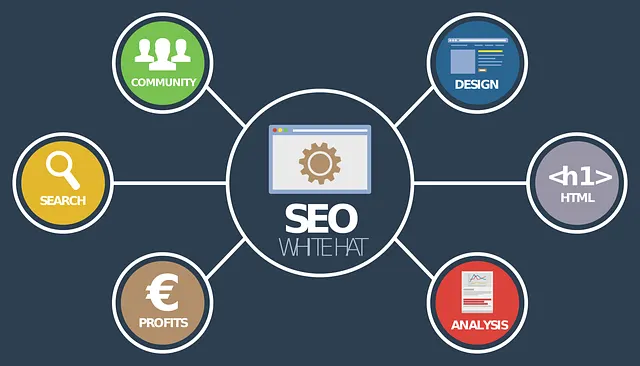
Is Drupal Good for SEO?
Yes. Drupal comes with powerful built-in SEO features, such as readable URL aliases for your pages, and that is a great starting point. Being SEO friendly does not mean your website will rank on its own, though.
You still need to apply SEO measures to reach, or stay on, the first page of results. SEO never ends and needs regular attention, whatever the CMS.
The good news is that Drupal is designed to perform well on search engines, and several modules support your SEO strategy. The steps below cover the most important ones, and the modules to use for each. To find out which steps your own site still needs, start with an on-site SEO optimization review.
Which Drupal SEO Modules Do You Need?
All the modules below are listed on Drupal.org with a stable release covered by the Drupal security advisory policy, as of September 2026.
| Module | What it does for SEO | Works with | Step |
|---|---|---|---|
| Metatag | Titles, descriptions, canonical URLs, Open Graph and Twitter Cards | Drupal 10.3 and 11 | 8 |
| Pathauto | Generates readable URL aliases automatically | Drupal 10.2 and 11 | 6 |
| Redirect | Manual 301 redirects, and redirects when an alias changes | Drupal 10 and 11 | 7 |
| Simple XML Sitemap or XML sitemap | Generates XML sitemaps | Drupal 10.3 and 11 | 4 |
| Schema.org Metatag | Structured data in JSON-LD | Drupal 9, 10 and 11 | 11 |
| Google Tag | Adds Google Tag Manager for analytics | Drupal 9.5, 10 and 11 | 5 |
How to Optimize Your Drupal Website for SEO in 11 Steps
1. Stay on a Supported Drupal Version
Keeping Drupal up to date matters. New releases add features and fix vulnerabilities, which makes your website safer. Support for Drupal 8 ended in November 2021, for Drupal 9 in November 2023 and for Drupal 7 in January 2025. Drupal 10 reaches end of life on December 9, 2026, and Drupal 12 is scheduled for the week of December 7, 2026 (Drupal core release schedule).
An unsupported version no longer receives security fixes, and a compromised site puts both your visitors and your search visibility at risk. New features can also improve user engagement, which supports your SEO.

2. Serve Your Site over HTTPS
An SSL certificate authenticates your website and encrypts the connection. It protects payments, logins and data transfers.
For SEO, Google counts secure HTTPS pages among the aspects of page experience it asks site owners to check. Today, a website without HTTPS is at a disadvantage with both users and search engines.
3. Be Mobile First
Google uses the mobile version of a site’s content, crawled with its smartphone agent, for indexing and ranking: this is mobile-first indexing (Google’s mobile-first indexing best practices). How your website performs on a phone is how Google ranks it.
Choose a responsive Drupal theme that performs well on mobile devices. Drupal is designed to be responsive, but not every element of your pages will work well on a phone: check how your pages render on mobile and make the customizations they need.
This article used to recommend AMP (Accelerated Mobile Pages) and its AMP module. The module’s latest release, from December 2024, supports Drupal 8 to 10 but not Drupal 11. Focus on a fast, responsive theme instead.

4. Create an XML Sitemap
An XML sitemap lists the pages of your website and how they relate, which helps search engines crawl it more efficiently. Google notes that a sitemap does not guarantee that every page will be crawled and indexed, but most sites benefit from one.
On Drupal 10 and 11, use Simple XML Sitemap, which also handles multilingual sitemaps with hreflang, or XML sitemap. Both can submit your sitemap to search engines. For a large catalog, our guide on how to create the optimal e-commerce sitemap explains how to organize it.
5. Connect Your Site to Search Engine Tools
Search engines offer free tools to plan and track your SEO work. Google Search Console is where you submit your XML sitemap and check the errors Google finds, and Google Analytics shows how your users behave. Together, they give you the data to optimize both your content and the technical side of your website. If you would rather hand this work to a team, our Google SEO services report on the same Search Console data.
The Google Tag module adds Google Tag Manager to your Drupal site, so you can deploy analytics tags without touching the code. If you target China, where Google is not the main search engine, also submit your website to Baidu.
6. Keep Your URLs Clean
URLs affect SEO. Google favors URLs that users can read as well as search engines, so keep them readable, descriptive and short.
For a page about iPad Pro features, for instance, prefer https://www.example.com/ipad-pro-features to https://www.example.com/index.php?productID=87471.
The Pathauto module helps a lot here: it generates URL aliases for your content automatically, so you do not have to write each one by hand.
7. Check Your Redirects and Broken Links
Internal and external links can raise or lower your SEO performance. Check them regularly, and make sure your website has no 404 pages.
A 404 code means the page no longer exists. Users who follow a link to it land on an error page, which hurts their experience, and search engines do not like broken links either.
Use a 301 redirect to send the old URL to a valid one, and use the same redirect when you change the URL of a page. Google treats a redirect as a strong signal that its target should become the canonical URL, so the new page keeps the SEO value of the old one.
The Redirect module manages 301 redirects in Drupal. Paired with Pathauto, it creates a redirect automatically when a URL alias changes, which prevents broken links.
8. Take Care of Your Meta Tags
Meta tags contribute to your SEO. The title and the description are the snippets users see in the search results: they tell users what the page is about, and they help search engines understand its topic.
Set them for every page. Good meta tags make users want to visit your pages, and they help your content stand out in the results.
The Metatag module never lets you forget them. By default, it uses the title of your post or page as the meta title, which is a good start, and it lets you customize the title and add a description for each page.
The title may be too long for search engines, for instance, or not engaging enough for users browsing the results. Include the keywords you target in the title and the description, without stuffing them: too many keywords have the opposite effect.
Metatag also handles canonical URLs, another important SEO optimization. Some pages may look like duplicate content to search engines, for instance when both www and non-www versions exist. A rel=canonical tag tells search engines which version is the main one, and Metatag lets you set it on your pages.

9. Improve Your Site Speed
Speed matters for every website. Statistics show how the impact of page speed affects online businesses in many ways: if your pages load slowly, users leave.
Google says its Core Web Vitals are used by its ranking systems, and recommends a Largest Contentful Paint within 2.5 seconds, an Interaction to Next Paint under 200 milliseconds and a Cumulative Layout Shift under 0.1 (Understanding Core Web Vitals).
Free online tools measure the speed of your pages, such as Google PageSpeed Insights or Pingdom. They show whether your pages are fast enough and why they are not, so you know which issues to fix first.
10. Publish Content That Meets Your Users’ Needs
A common mistake is to optimize a website for search engines and forget the people who read it. Find the balance between the two.
A website perfectly optimized for search engines will not perform if its content does not answer its users’ needs. Aim to publish valuable content: understand your audience, give them what they need, and add to what they already know. Design matters too, as our article on how UI and UX affect SEO explains.
You do not need to publish new content all the time. Keep your existing content up to date: fresh or updated content gives search engines a reason to come back, and genuine content that addresses real needs helps you rank higher.
11. Add Schema Markup
Schema markup is code that tells search engines what your data means. Google uses structured data to understand the content of a page, and complete markup can make a page eligible for rich results, the search snippets enriched with extra information. Google recommends the JSON-LD format, but structured data does not guarantee a rich result (Google’s introduction to structured data).
Setting up schema markup by hand can be daunting. On Drupal, the Schema.org Metatag module adds structured data in JSON-LD to your pages, based on Metatag.
What Should You Do Next?
SEO takes planning, understanding and patience. What you implement today will not bring results tomorrow: search engines usually take a few weeks to process your changes. If you optimize your website diligently and keep up with SEO practices, you will see results.
Drupal has the modules to keep your website healthy for SEO. Start with a supported version, HTTPS and a fast mobile theme, then install the modules of the table above and work through the steps.
QPSoftware has built Drupal websites such as Oceanfleet’s mobile-first e-commerce website on Drupal Commerce and Cosy Stay’s Drupal e-commerce website. If you need to customize your Drupal website, or want a technical SEO audit and on-site optimization, contact us. Our Drupal experts will help your website grow.
Frequently Asked Questions
Is Drupal good for SEO?
Yes. Drupal comes with built-in SEO features, such as readable URL aliases, and a set of maintained modules covers the rest: Metatag for titles, descriptions and canonical URLs, Pathauto for clean URLs, Redirect for 301 redirects, an XML sitemap module and Schema.org Metatag for structured data. The site still needs a supported version, HTTPS, a fast mobile theme and useful content to rank.
What are the best Drupal SEO modules?
For Drupal 10 and 11, start with Metatag, Pathauto and Redirect, then add Simple XML Sitemap or XML sitemap for your sitemap and Schema.org Metatag for structured data. Google Tag connects Google Tag Manager for analytics. All of them have stable releases covered by the Drupal security advisory policy. The AMP module only supports Drupal up to version 10.
How do I optimize a Drupal website for SEO?
Work in order. Update Drupal to a supported version, serve the site over HTTPS and check its mobile rendering and Core Web Vitals. Then install Metatag, Pathauto, Redirect and an XML sitemap module, submit the sitemap in Google Search Console, fix broken links, add structured data, and keep your content useful and up to date.
Does Drupal create search engine friendly URLs?
Yes. Drupal lets you give each page a readable URL alias instead of a system path, and the Pathauto module generates these aliases automatically from patterns, for example from the page title. Pair it with the Redirect module, so that a redirect is created whenever an alias changes and no link breaks.