
How UX and UI Affect SEO
Updated on |By QPSoftware
UX affects SEO in two ways. Directly, search engines reward pages that load fast, work on mobile and have a clear structure they can crawl. Indirectly, a good user experience keeps visitors on your site, earns links and turns clicks into customers, which strengthens the signals that help a page rank.
Key takeaways
- The user interface shapes what search engines crawl: clean code, clear navigation and a responsive design come first.
- Google uses the mobile version of your pages for indexing and ranking.
- Speed matters for users and for search: Google uses its Core Web Vitals in its ranking systems.
- Titles and descriptions that earn clicks, internal links and content worth linking to connect a good user experience to better rankings.
There is an endless debate on this topic, and it shows how important SEO is for your online business. If your SEO is poor, your website will not be visible and, therefore, will not be successful.
The idea that your website needs effective SEO is easy to understand, but improving your SEO metrics is not as simple. Online businesses deal with sophisticated search engines and constant algorithm updates that are kept confidential. SEO is not an exact science, and it can easily leave you unsure about your next move.
There is no doubt that search engines have become very effective at analyzing websites to determine which are the most valuable. However, you are still dealing with a machine that, even though advanced, will never read your website the way a human does.
The user interface is therefore critical for your SEO, while the user experience plays a major role in driving sales and conversions. When both are well thought out and optimized, they have a positive impact on your SEO performance, which is why our on-site optimization services review both.

Why User Interface Is Important for SEO
The user interface can be compared to the engine of your car. If your car has a polished and shiny body, but the engine does not work properly, your car will be of little help, if not completely useless. Your user interface must therefore be designed to perform on search engines and meet your users’ expectations at the same time.
Clean Code
A critical step in user interface design is to use clean code that search engines can crawl easily. Your users will be unaware of your code, but search engines rely on it to understand the structure of your website and your content. Messy code that is hard to read works against your rankings. Code that is not clean also slows down your website, which makes it unappealing to search engines and to your users.
Easy Navigation
A well-designed user interface anticipates your users’ needs and makes sure they find what they need easily: your menu and content are organized in a way that is easy and intuitive to navigate. Besides satisfying your users, such a design is also reflected in how your website displays in search results.
As the following screenshot shows, a clean website structure and clear navigation can lead to sitelinks appearing in Google search results. Sitelinks give users several ways into your pages. Structure and navigation are among the first things our SEO agency in Shanghai reviews in a technical audit.

The Google result of Duke Kunshan University, whose website redesign QPSoftware delivered, with sitelinks under the main result.
Responsive Design
Another feature of your user interface that directly affects SEO is responsiveness. Google uses the mobile version of your pages for indexing and ranking, which it calls mobile-first indexing (Google Search Central). Unless your user interface is optimized for mobile devices, your SEO performance will be limited.
What Makes a User Interface Ineffective?
What are the main problems that make a user interface ineffective?
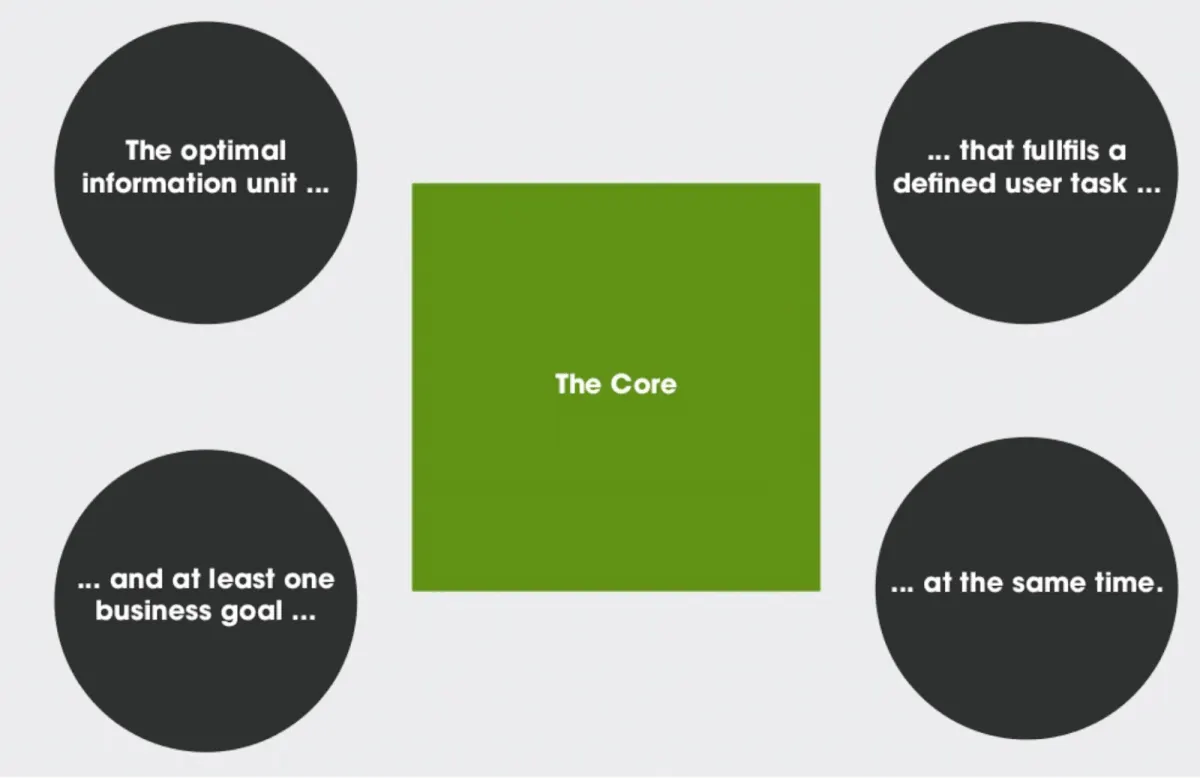
A primary problem is not having your core content and the needs of your users clearly in mind. Without that understanding, you cannot organize your content efficiently, and both your visitors and search engines end up confused.
Another issue is related to the platform you use. WordPress and Drupal, for instance, are powerful tools to build your website. However, if you add too many plugins, add-ons or other elements, you may be left with messy code that reduces the performance of your website. Our Drupal SEO guide lists the modules worth installing.
Unless you are well versed in web design and coding, it is highly advisable to work with a professional who can analyze your content, clean your code and remove unnecessary elements to create a high-performing, SEO-friendly user interface, such as a UI/UX design agency in Shanghai.
How User Experience Affects SEO Performance
User experience is about making sure that visitors who enter your website are satisfied with what they find and can move through your content easily. A great user experience should always be your final goal, since it determines whether you retain a visitor and whether they buy your products or services.
Even though it is not directly an SEO factor, user experience contributes to the performance of your website on search engines.
Search engines are very advanced, but they still cannot read and judge your content the way a person does. To a certain extent, they rely on signals as indicators of the quality of your website.
Some of these signals are closely related to user experience. Time spent on pages, bounce rate and backlinks are often discussed in this context, and all of them depend on how users interact with your website, in other words on the user experience.
What Contributes to a Good User Experience and Better SEO?
Meta Tags
Start with how your website appears in the search results. Optimize both your meta title and meta description to entice clicks. If your meta tags earn only a few clicks, users are telling you that your result does not look valuable. Write your meta title and description with your main keywords, of course, but make them appealing and intriguing, so users have a reason to enter your site.
For instance, we searched for the phrase “how to write an effective meta tag” and found the example below of a well-written result. Both the title and the description are intriguing, promise a practical benefit, and make the reader curious about the content of the page.
The next one is not effective. The title is cut off and adds little value, and the description gives no useful hint about the content of the page. The reader will not be curious or eager to read the content and will not click on the link, which works against your SEO.


Bounce Rate and Internal Linking
Once users have entered your site, make sure they spend as much time as possible there. The main way to achieve this is valuable content that addresses the specific needs of your visitors.
In addition, build an internal linking strategy that leads visitors to more content on your website. Both increase the time spent on your site and reduce the bounce rate, to the benefit of your business and your SEO performance.
Inbound Links
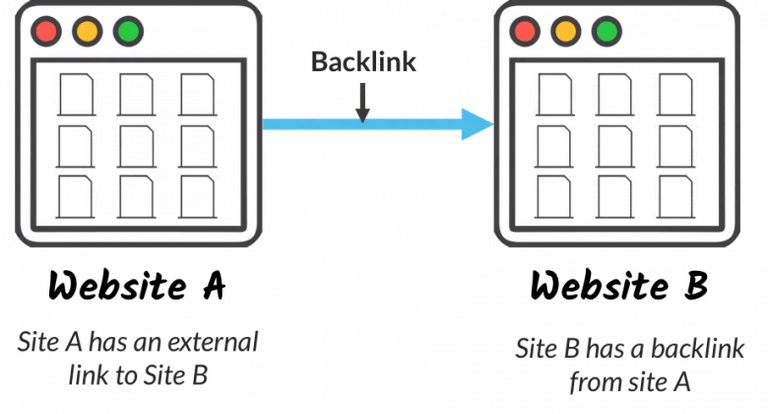
Another benefit of valuable and unique content is that other websites link to your pages because they find them interesting. Backlinks earned this way are among the most important factors for your SEO performance, and you should aim to earn as many of them as possible.
Speed
Speed is another important factor of the user experience. A slow website discourages users, who abandon it immediately, and, as explained above, it hinders your SEO.
Besides optimizing your code, optimize your images by reducing their size when they are too big. Avoid useless elements, pop-ups and add-ons that do not contribute to the user experience and slow down your website.
What Should You Do Next?
User interface (UI) and user experience (UX) are both essential to make your online business successful, and both must be optimized to have a positive impact on your SEO. Finding the right settings for your website is not always straightforward: it often takes testing, user feedback and technical skills.
QPSoftware is a digital agency in Shanghai, founded in 2009. Our strength is our ability to analyze your specific audience and select the core content. Based on that, our UI and website design in Shanghai creates the user interface and experience your market needs, and our on-site SEO optimization makes sure search engines can read it.
If you want to boost your online performance, contact us today and we will share what we can do for you.
Frequently Asked Questions
How does user experience affect SEO?
User experience affects SEO directly and indirectly. Search engines favor pages they can crawl easily and that work well for users, which covers clean code, clear navigation, mobile design and speed. A good experience also keeps visitors on your pages, encourages other websites to link to you and makes users more likely to click your result.
Does UI affect SEO?
Yes. The user interface shapes the code, the navigation and the layout that search engines crawl. Clean, lightweight code helps search engines understand your pages and keeps them fast, a clear menu helps users and crawlers find your content, and a responsive design matters because Google uses the mobile version of your pages for indexing and ranking.
Can poor UX hurt SEO performance?
Yes. A slow, confusing or broken website makes visitors leave quickly, earns fewer links and turns fewer searches into customers. Heavy pages also slow down loading, which Google measures with its Core Web Vitals. Fixing navigation, speed and mobile rendering improves both your conversions and the signals that support your search visibility.