
How to Develop a WeChat Mini Program: Steps and Best Practices
Updated on |By QPSoftware
Here is how to develop a WeChat Mini Program: register an account on WeChat’s platform (mp.weixin.qq.com) and complete its information to get an AppID. Then build it in WeChat’s developer tools with WXML, WXSS and JavaScript, test it with a trial version, submit it for WeChat’s review and release it once approved. Its servers need HTTPS and ICP-filed domains.
Key takeaways
- You register a mini program on mp.weixin.qq.com with an email that no other WeChat account uses, and a company confirms its identity by bank transfer or through WeChat verification (RMB 300).
- The AppID links your project in WeChat’s developer tools, available for Windows and macOS, to the mini program account.
- A mini program is written in WXML, WXSS, JavaScript and JSON, with 2 MB per code package and 30 MB in total.
- Every server domain must use HTTPS and have an ICP filing, and every version goes through WeChat’s review before release.
- On our projects for Huttopia and Go City, payments and connections with existing systems were a large part of the work.
What Is a WeChat Mini Program?
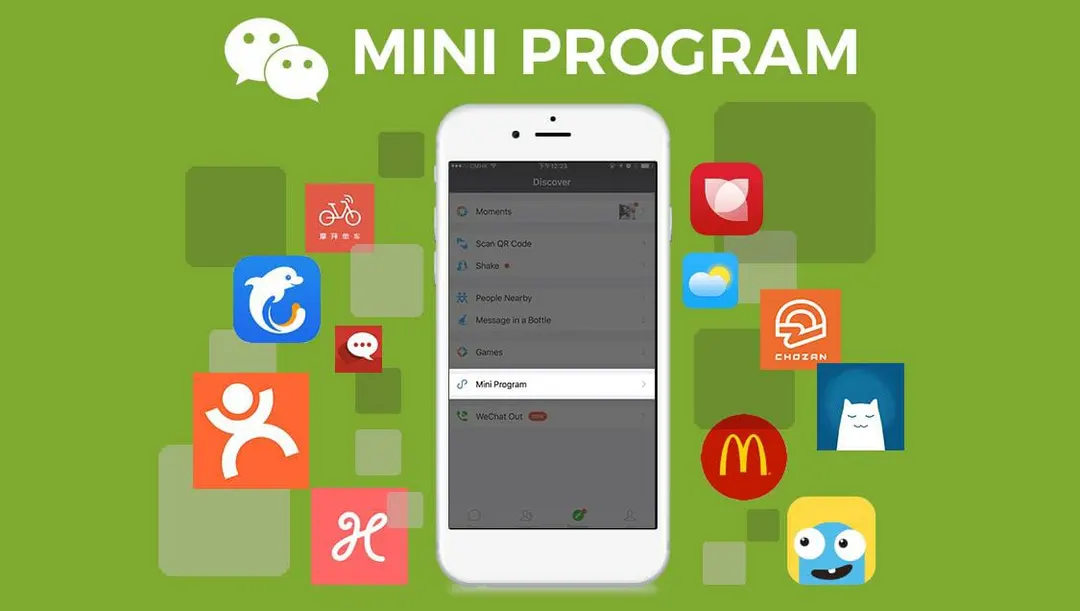
A WeChat Mini Program is an app that runs inside WeChat. Users do not download it from an app store: they open it in WeChat in a few taps, and they can remove it as easily as a chat. For businesses, the audience already in WeChat is the main reason to build one. Our guide to what WeChat Mini Programs are and how they differ from apps covers the basics and the latest figures.
How to Develop a WeChat Mini Program in 6 Steps
This short WeChat Mini Program tutorial follows WeChat’s official documentation, from the account to the release.
Step 1: Register a Mini Program Account
Registration takes place on the WeChat Official Accounts Platform, as WeChat’s registration guide explains:
- Sign up with an email address that has never been registered on the Official Accounts Platform, the Open Platform or an enterprise account, and that is not linked to a personal WeChat account.
- Activate the account from the email you receive.
- Choose the entity type: individual, company, government, media or other organization.
- Verify the entity. A company can confirm its identity with a small bank transfer or through WeChat verification, which costs RMB 300. Government bodies, media and other organizations go through WeChat verification.
- Add the administrator’s information.
The entity type matters: a mini program registered by an individual has fewer features and cannot display web pages, for example. Foreign companies should check early which entity and verification options apply to them.
Step 2: Complete the Mini Program Information and Get the AppID
Once registered, fill in the mini program’s name, profile picture, introduction and service categories, and add your team members as developers. The AppID, the identifier that links your code to the mini program, is in the settings of the admin console.
Step 3: Install WeChat’s Developer Tools
WeChat provides its own developer tools for Windows and macOS, in stable, pre-release and nightly versions. Create a project with your AppID, then compile and preview the mini program as you build it.
Step 4: Design Your WeChat Mini Program
A mini program lives inside WeChat, so its design must feel consistent with WeChat itself. The official design guide sets out a few principles:
- Friendly and polite: remove design elements that distract users from their goal.
- Clear: always tell users where they are and where they can go.
- Convenient: ask users to type as little as possible.
- Consistent: keep pages uniform from one to the next.
WeChat also fixes some elements. The menu capsule at the top right belongs to WeChat and cannot be customized, secondary pages should offer a back button at the top left, and a tab bar holds two to five tabs. Within these rules, menus, buttons, fonts and colors can reflect your brand.
Design for your audience too. Most users will be Chinese, and the way they use their phones and what drives Chinese buyers differ from other markets. For Huttopia, we designed a localized interface that works within WeChat’s ecosystem and design guidelines.
Step 5: Develop the Mini Program and Connect Your Servers
A mini program uses Tencent’s framework: WXML for the page structure, WXSS for styles, JavaScript for the logic and JSON for the configuration. Each code package is limited to 2 MB and all packages to 30 MB, so pictures and videos are best served from your own servers. Much of the most detailed technical material is in Chinese, which slows down teams that do not read it.
Those servers follow strict rules. Each server domain must be declared in the admin console, use HTTPS or WSS and have an ICP filing. IP addresses and localhost are not accepted.
Payments and integrations need the most care. For Huttopia, we built a middleware between the mini program and Huttopia’s systems in France: it creates and updates orders, and handles the payment flow that WeChat Pay requires. For Go City, we used uni-app and Vue.js for the front end, with a Node.js and TypeScript backend, and added one-click refunds and currency conversion into Chinese yuan.
Keep the code clean and light: a mini program succeeds only if it runs smoothly and loads fast. On Go City, lazy loading of images and resource compression shortened load times.
Step 6: Test, Submit for Review and Release
The release process has four stages:
- Development version: upload the code from the developer tools. WeChat keeps the latest upload of each developer.
- Trial version: choose a development version as the trial version, so that testers can use it before the release.
- Review: submit the mini program for WeChat’s review, with the information the console asks for. Too many rejected submissions can slow down later reviews.
- Release: once the mini program is approved, publish it to all users or gradually.
In mainland China, a new mini program must also complete the app filing required by China’s Ministry of Industry and Information Technology before it starts operating.
Should You Build It Yourself or Have It Developed?
You can build a mini program in-house if your team writes JavaScript, can follow documentation in Chinese, and can handle the account, WeChat Pay and the ICP filing in China. Otherwise, a local team saves you the learning curve. If you prefer to have your WeChat Mini Program developed, choose a team that has already taken mini programs through review, payment and filing.
How We Develop Mini Programs at QPSoftware
QPSoftware is a digital agency in Shanghai, founded in 2009, with more than 200 projects delivered. We usually run mini program projects with the Scrum approach, part of our agile methodology. At every stage, we test the design, the functions and the performance, and check that the mini program follows WeChat’s guidelines. When a part does not comply, we adjust it quickly, without wasting time or money.
On Huttopia, a project that ran over a year, our Shanghai team worked with Huttopia’s business and engineering teams in France in a format they were comfortable with, and shared knowledge on the APIs. On Go City, we worked with the client’s marketing team in Singapore, the booking engine team in the UK and a payment provider in Southeast Asia, and set up automated testing and continuous integration for the middleware. The Go City mini program also uses WeData, Tencent’s analytics tool, to measure what users do.
What Should You Do Next?
Before development starts:
- Define what the mini program must do, and for whom.
- Register the account with the right entity type.
- Plan the servers, the ICP filing and WeChat Pay before the first line of code.
If you want experienced WeChat Mini Program developers to take it from there, all you have to do is get in contact with us. We will advise you on the best mini program for your marketing goals.
Frequently Asked Questions
How do you make a WeChat Mini Program?
Register a mini program account on mp.weixin.qq.com, complete its information and get its AppID. Build it in WeChat’s developer tools with WXML, WXSS, JavaScript and JSON, and connect it to HTTPS servers with ICP-filed domains. Then upload the code, test a trial version, submit it for WeChat’s review and release it once approved.
Can you make a mini program with a mobile phone?
Not the development itself. WeChat’s official developer tools run on Windows and macOS computers, where you write, compile and upload the code. The phone is where you preview and test the mini program, and where the trial version runs for your testers before WeChat’s review and the release.
Where can you learn to develop WeChat Mini Programs?
Start with WeChat’s official documentation: the development guide, in Chinese and partly in English, the design guide and the developer tools. Build a small first project, then follow the release process step by step. Knowing JavaScript helps, since mini programs use WXML, WXSS, JavaScript and JSON.